Office & Productivity / Review
Elgato Stream Deck Neo Review: Eight visible shortcuts for repetitive desk work
The Elgato Stream Deck Neo is a small control surface for people who repeat the same computer actions often enough to benefit from visible, dedicated buttons. Its eight customizable keys can launch tools, trigger supported…
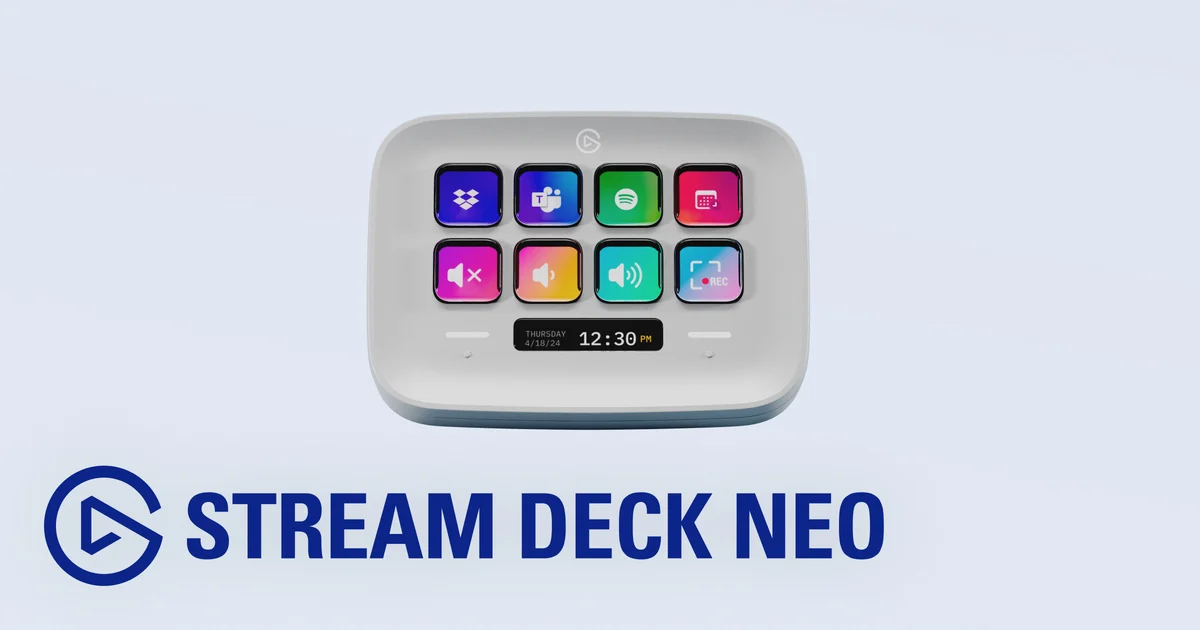
Review basis: This is a research-based editorial review of manufacturer documentation and published product specifications, not a hands-on test. Ratings reflect documented features and buying tradeoffs; performance claims are attributed to their sources.
The Elgato Stream Deck Neo is a small control surface for people who repeat the same computer actions often enough to benefit from visible, dedicated buttons. Its eight customizable keys can launch tools, trigger supported commands or run a sequence of actions. The main advantage over memorized keyboard shortcuts is that the controls can carry recognizable labels and remain in a fixed physical location.
That makes it relevant beyond streaming. A writer might open a research workspace, a presenter might control supported meeting functions, and a designer might place frequently used commands together. The device is most valuable when it removes a repeated interruption from real work. Filling every button with an occasional novelty is less likely to justify another item on the desk.
Start with a small useful page
Eight keys are enough for a focused set of actions. The Neo's touch points switch between pages, allowing a larger collection without increasing the physical size. Pages are useful when organized around a task, but excessive layers can recreate the very search problem the device is meant to solve. Put the most frequent actions on the first page and use clear, distinct labels.
The Infobar provides an additional area for essential information. Its usefulness depends on the chosen configuration and supported functions. It should be evaluated as part of the workflow rather than as a reason to expect a general-purpose second monitor. The device's strength is quick interaction, not displaying large amounts of content.
Elgato's Stream Deck software provides drag-and-drop configuration and access to integrations. A supported application can offer richer controls than a generic keyboard shortcut. Check the exact application and operating-system requirements, especially on a work computer where software installation may be restricted. A compelling demonstration with one application does not establish the same functionality in another.
Automation needs deliberate boundaries
A multi-action button can save time by combining steps, but the sequence should be understandable and tested in the intended context. Commands that depend on the active window can behave differently if focus changes. For ordinary repetitive work, prefer actions with clear targets and visible outcomes rather than long chains that are difficult to inspect.
The adjustable stand offers three orientations, making it easier to place the keys beside the keyboard or another control surface. That flexibility is useful on a small desk. Still, reaching for the Neo should be easier than performing the original action; a device placed behind a monitor or outside the normal working area loses much of its practical benefit.
Our verdict favors Stream Deck Neo for a modest collection of repeated, supported tasks. It provides an approachable physical interface without committing to a large control panel. Skip it if keyboard shortcuts already cover the workflow comfortably or if the required applications have little useful integration. The best purchase begins with a list of actions you already repeat every day.
Sources and specifications
What works well
- Visible labels reduce shortcut memorization
- Pages extend a small control surface
- Adjustable stand
What to consider
- Requires setup and compatible software
- Eight keys limit one-page visibility
- Not every application exposes useful actions
At a glance
- Keys
- Eight customizable keys
- Navigation
- Two touch points for pages
- Display
- Infobar
- Stand
- Three orientations