Office & Productivity / Review
Anker 555 USB-C Hub 8-in-1 A8383 Review: Useful desk connections when the host port supports them
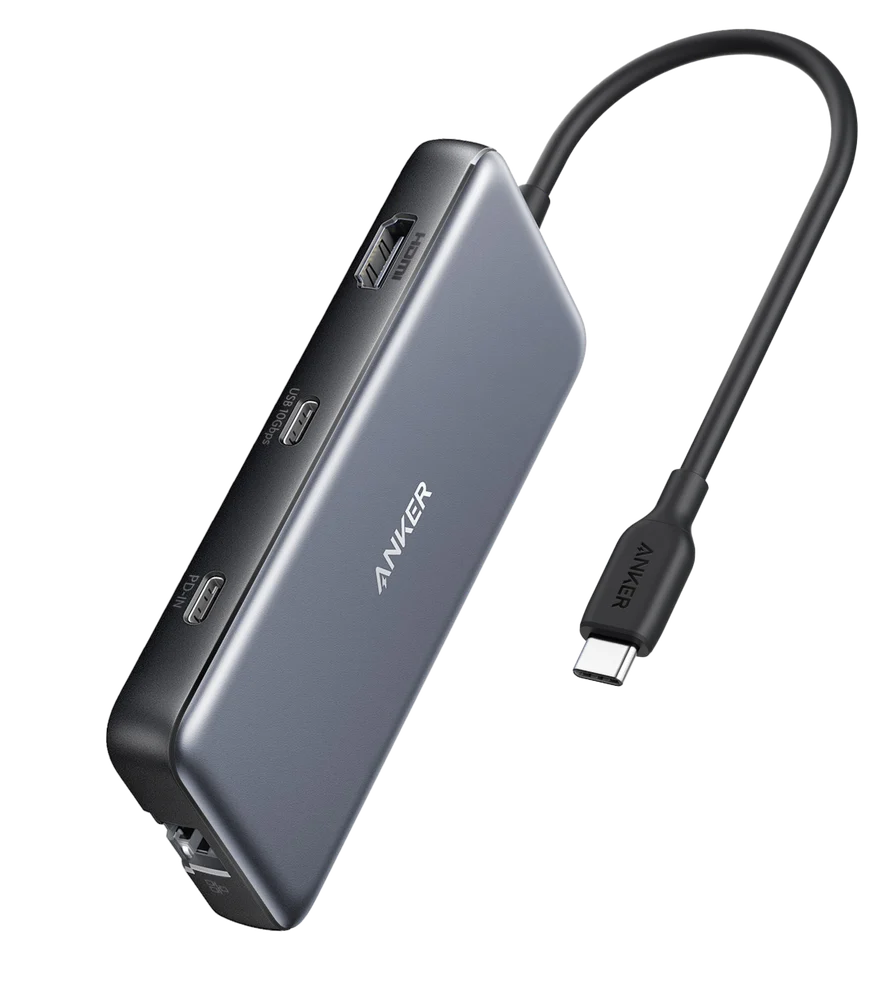
The Anker 555 USB-C Hub, model A8383, is a useful travel-and-desk accessory for a laptop with too few ports. It combines HDMI, Ethernet, USB data connections and SD and microSD readers in a compact unit.…
Review basis: This is a research-based editorial review of manufacturer documentation and published product specifications, not a hands-on test. Ratings reflect documented features and buying tradeoffs; performance claims are attributed to their sources.
The Anker 555 USB-C Hub, model A8383, is a useful travel-and-desk accessory for a laptop with too few ports. It combines HDMI, Ethernet, USB data connections and SD and microSD readers in a compact unit. Its value depends on the host computer's capabilities, so the first purchase check should be the laptop's USB-C specification rather than the number of sockets on the hub.
A USB-C connector can support different combinations of charging, data and display functions. Anker specifies compatible hosts with Power Delivery and DisplayPort Alt Mode for the corresponding features. If the laptop's port does not provide video output, attaching this hub cannot create it. Similarly, a display mode requires support from the computer, hub, cable and monitor together.
The advertised maxima have conditions
The HDMI output supports up to 4K at 60Hz with a compatible DisplayPort 1.4 host. Older or differently configured systems may provide a lower mode. For office use, 60Hz can make pointer movement and scrolling more comfortable than a 30Hz desktop, so this detail is worth confirming before buying a high-resolution monitor around the hub.
The charging input accepts up to 100W, with the hub reserving power for its own operation and delivering up to 85W to the laptop. A suitable charger and cable are separate requirements. A computer that expects more power under load may charge slowly or draw from its battery even while connected. Pass-through charging should therefore be compared with the laptop's real power needs.
The USB data ports are rated up to 10Gbps, while the card readers use UHS-I. These are interface limits rather than guaranteed file-transfer results. Storage speed, file sizes and simultaneous activity all matter, and every connected device ultimately shares the hub's upstream link. The hub is convenient expansion, not several independent full-bandwidth computer ports.
Match each socket to its role
The USB-C data port does not provide display output, and the Power Delivery input is dedicated to power. That distinction prevents a common disappointment when a user connects a USB-C monitor or tries to attach storage to the charging socket. HDMI is the intended display path on this model.
A compact hub also concentrates heat and cables in one place. Leave it in a ventilated position and avoid suspending a heavy collection of cables from the laptop's port. For a permanent desk with multiple monitors and demanding peripherals, a larger dock with appropriate power and display support may be easier to manage.
Our verdict favors the Anker 555 for one-monitor setups and travel kits that need Ethernet, cards and ordinary USB accessories. It offers a useful selection without requiring a full dock. Buy it after verifying host modes and power needs; those checks determine whether its convenient hardware can deliver the functions you expect.
Sources and specifications
What works well
- HDMI, Ethernet and card readers in one hub
- Fast USB data ports
- Charging pass-through reduces cable changes
What to consider
- USB-C host must support required modes
- USB-C data port does not carry display output
- One shared upstream connection limits simultaneous throughput
At a glance
- Model
- A8383
- Video
- HDMI up to 4K60 with compatible DP1.4 host
- Charging
- Up to 85W to laptop from suitable 100W input
- Data
- USB ports up to 10Gbps; UHS-I card slots