Gaming & Entertainment / Review
Elgato Game Capture Neo Review: A simple capture path when 1080p60 is the intended output
Elgato Game Capture Neo is a practical option for someone who wants to record or stream an HDMI gaming source at 1080p60 while continuing to play on a separate display. Its appeal is a focused…
Review basis: This is a research-based editorial review of manufacturer documentation and published product specifications, not a hands-on test. Ratings reflect documented features and buying tradeoffs; performance claims are attributed to their sources.
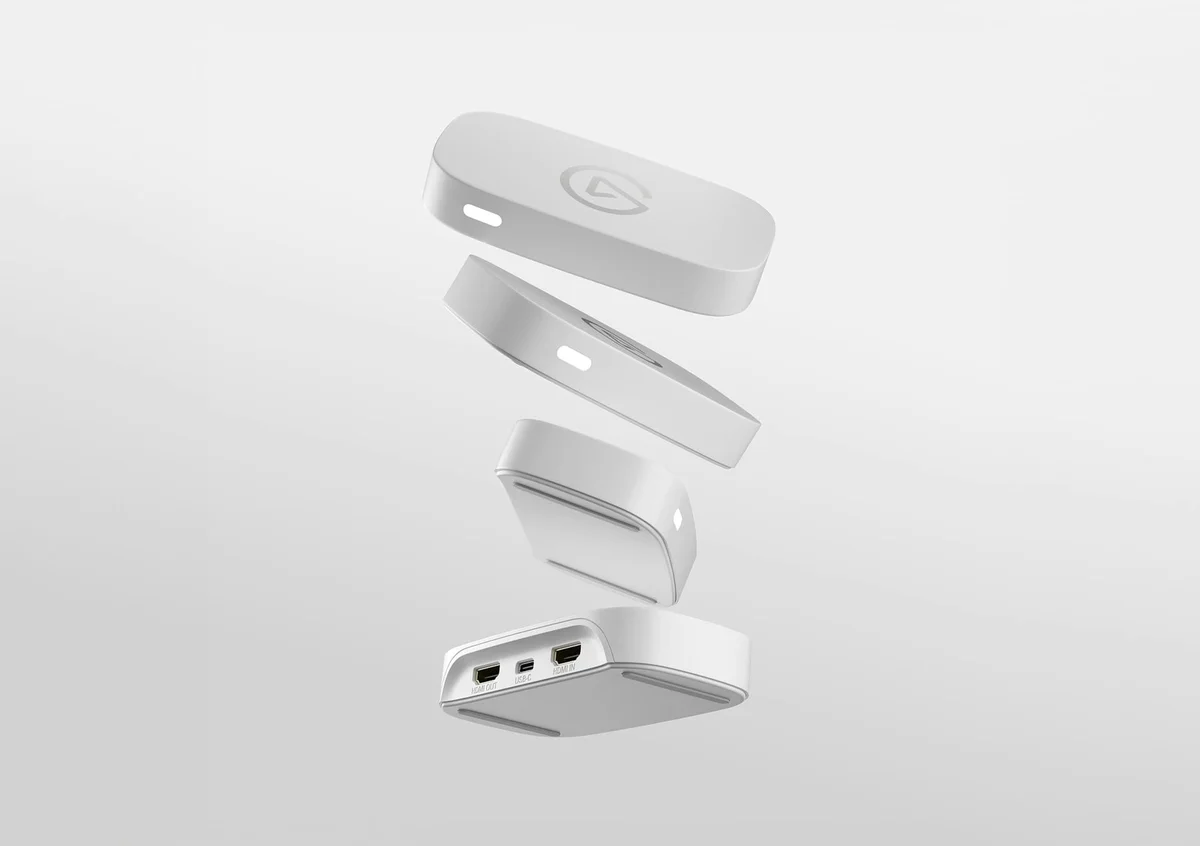
Elgato Game Capture Neo is a practical option for someone who wants to record or stream an HDMI gaming source at 1080p60 while continuing to play on a separate display. Its appeal is a focused external capture workflow with a small set of connections. It is especially relevant when Full HD output is sufficient and a more elaborate capture device would add unused capabilities.
The distinction between passthrough and recording is central. Neo can pass a supported signal up to 4K60 HDR to the gaming display, while capture is limited to up to 1080p60. A prominent 4K figure in a listing should not be interpreted as 4K recording capability.
The computer remains part of the system
Neo sends captured video to a compatible computer or supported iPad setup. It is not a standalone recorder that writes a finished file without another device. The receiving system must meet Elgato's requirements and run suitable recording or streaming software.
Elgato lists compatibility with applications including its own capture software, OBS Studio and other video-capable tools. That flexibility is useful for starting with a simple recording and expanding later. The capture hardware does not remove the need to configure resolution, frame rate, audio and the destination file or stream in the chosen application.
The official manual calls for a direct USB 3.0-or-better connection and advises against using a hub. This matters on laptops with few ports, where a capture device may otherwise be placed behind several adapters. Check the complete connection plan before purchase, including suitable HDMI cables and any supported device-specific adapter.
Match the device to the intended output
For tutorials, ordinary gameplay recordings and many streaming setups, 1080p60 can be an appropriate target. A creator who needs detailed 4K footage for reframing or high-resolution archival work should compare a more capable capture model. Buying Neo and expecting software to create missing captured detail is not a useful upgrade path.
The HDMI input is specified for unencrypted sources. Protected video content and device restrictions can prevent capture, so the presence of an HDMI socket does not establish that every source will work. Follow the source device's supported capture settings and applicable content permissions.
Audio planning is equally important. Game sound, microphone commentary and chat audio may follow different routes depending on the system. Confirm that the intended application can receive and mix the needed sources before relying on a one-cable expectation. A short test recording helps identify missing audio or incorrect levels before a longer session.
Our verdict favors Game Capture Neo for a clearly planned 1080p60 workflow with a compatible receiving device. It is less suitable for 4K recording or standalone use. Its strength is a modest, well-defined capture role, provided passthrough specifications are kept separate from the recording output.
Sources and specifications
What works well
- Clear 1080p60 capture role
- 4K60 HDR passthrough for supported displays
- Works with common recording applications
What to consider
- Does not record 4K60
- USB and computer requirements still apply
- Not a standalone recorder
At a glance
- Input
- Unencrypted HDMI
- Passthrough
- Up to 4K60 HDR
- Capture
- Up to 1080p60
- Computer connection
- USB 3.0 or better; direct connection recommended