Computers & Laptops / Review
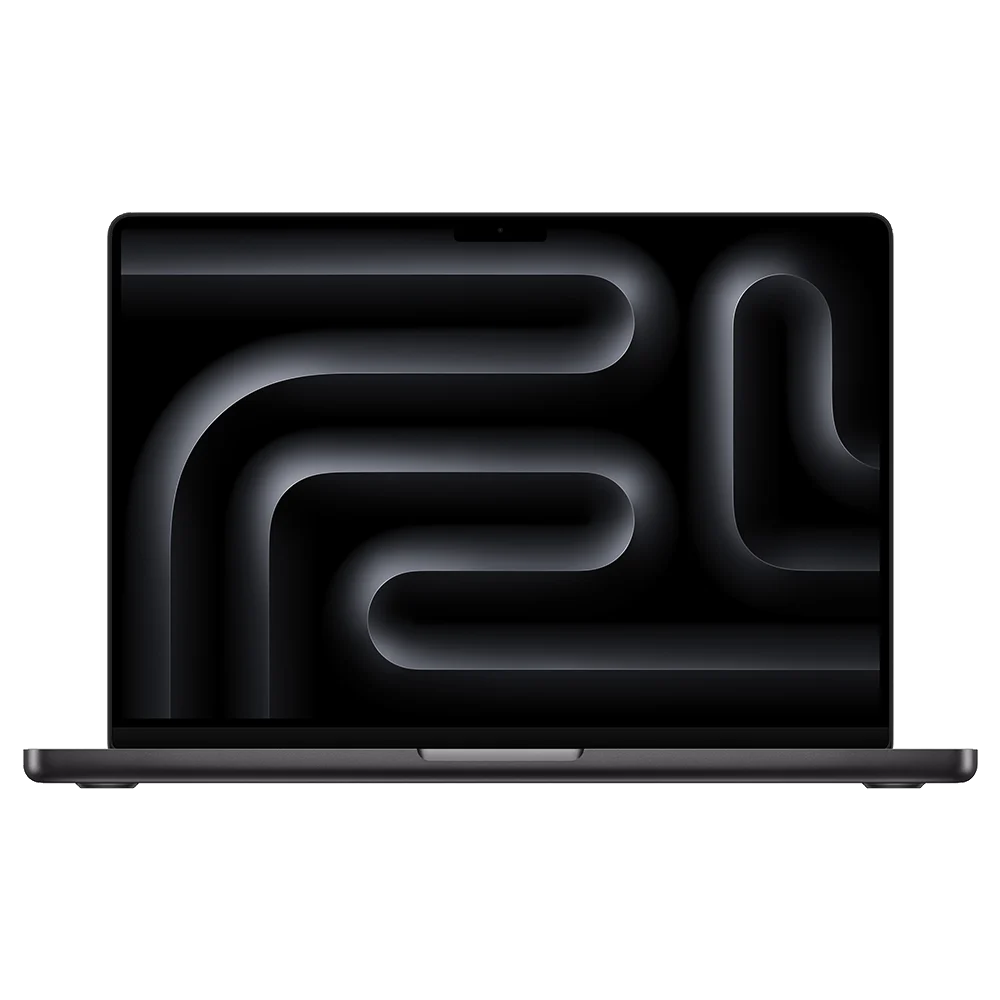
Apple MacBook Pro 14-inch M4 (2024) Review: The display and ports make the case
The base-M4 14-inch Pro is a balanced Mac laptop for buyers who want its screen and connections without moving to a Pro or Max chip.
Review basis: This is a research-based editorial review of manufacturer documentation and published product specifications, not a hands-on test. Ratings reflect documented features and buying tradeoffs; performance claims are attributed to their sources.
Why choose this configuration
The 14-inch MacBook Pro with the standard M4 chip is a particularly sensible configuration when the screen and built-in connections matter more than buying the largest processor. It gives you the Pro enclosure and Liquid Retina XDR display without requiring an M4 Pro or M4 Max. This is the 2024 model, so compare the actual configuration and condition when shopping remaining stock or refurbished units. The name MacBook Pro alone is not enough: memory, storage and chip generation can change the value far more than the color of the enclosure.
The screen is a practical upgrade
Apple specifies a 14.2-inch, 3024-by-1964 display with adaptive refresh up to 120Hz. That combination is relevant to long reading sessions, detailed image work and smooth movement through documents. HDR capability also gives the laptop a role in viewing compatible video without an external display. These features are more persuasive reasons to choose it over a simpler laptop than a theoretical processor score. The compact panel still limits workspace, however; anyone arranging several large application windows may prefer an external monitor or a larger laptop.
Connections that reduce the adapter burden
Three Thunderbolt 4 ports sit alongside HDMI, an SDXC slot, MagSafe charging and a headphone jack. Photographers can import cards directly, and meeting-room displays are less likely to require a separate adapter. The standard M4 model supports two external displays alongside its own screen within Apple's specified resolution combinations. That is useful for a desk setup, but do not confuse its Thunderbolt 4 ports with the Thunderbolt 5 connections on higher-chip versions. Match the exact model to any expensive dock or display arrangement before buying.
Choose memory before storage accessories
The standard M4 combines a 10-core CPU and 10-core GPU, with configurations reaching 32GB of unified memory. For buying purposes, memory capacity deserves early attention because it is not a routine later upgrade. External storage can extend file capacity more easily than it can solve insufficient memory for your applications. A buyer working mainly in documents and browsers may not need this machine's screen and port advantages enough to justify the step up. Someone using media applications should compare the memory requirement of real projects rather than simply counting processor cores.
Verdict
The 3.4-pound weight is reasonable for a capable 14-inch laptop, though it is not the lightest way to carry macOS. Buy this Pro when the high-refresh display, card slot and HDMI port will improve your normal workday. Choose a lighter MacBook if portability dominates, or a higher-chip Pro only when your software and workload justify the extra resources. This base-M4 version has a coherent purpose: a well-connected portable workstation for people whose needs sit between a minimal travel laptop and a substantially more specialized machine.
Sources
What works well
- 14.2-inch XDR display with up to 120Hz
- HDMI and SDXC built in
- Two external displays supported alongside internal screen
What to consider
- Memory must be chosen carefully at purchase
- Heavier than a minimal travel laptop
- Thunderbolt 4 rather than higher-model Thunderbolt 5
At a glance
- Generation
- 2024, standard M4
- CPU / GPU
- 10 cores / 10 cores
- Display
- 14.2 in; 3024 × 1964; up to 120Hz
- Memory range
- 16–32GB unified
- Weight
- 3.4 lb
- Ports
- 3 Thunderbolt 4; HDMI; SDXC; MagSafe; audio