Computers & Laptops / Review
ASUS Zenbook A14 UX3407QA Review: Lightweight Windows with an Arm compatibility check
The first-generation Snapdragon X A14 emphasizes a light chassis and OLED display, with software fit as the key buying question.
Review basis: This is a research-based editorial review of manufacturer documentation and published product specifications, not a hands-on test. Ratings reflect documented features and buying tradeoffs; performance claims are attributed to their sources.
Which A14 this is
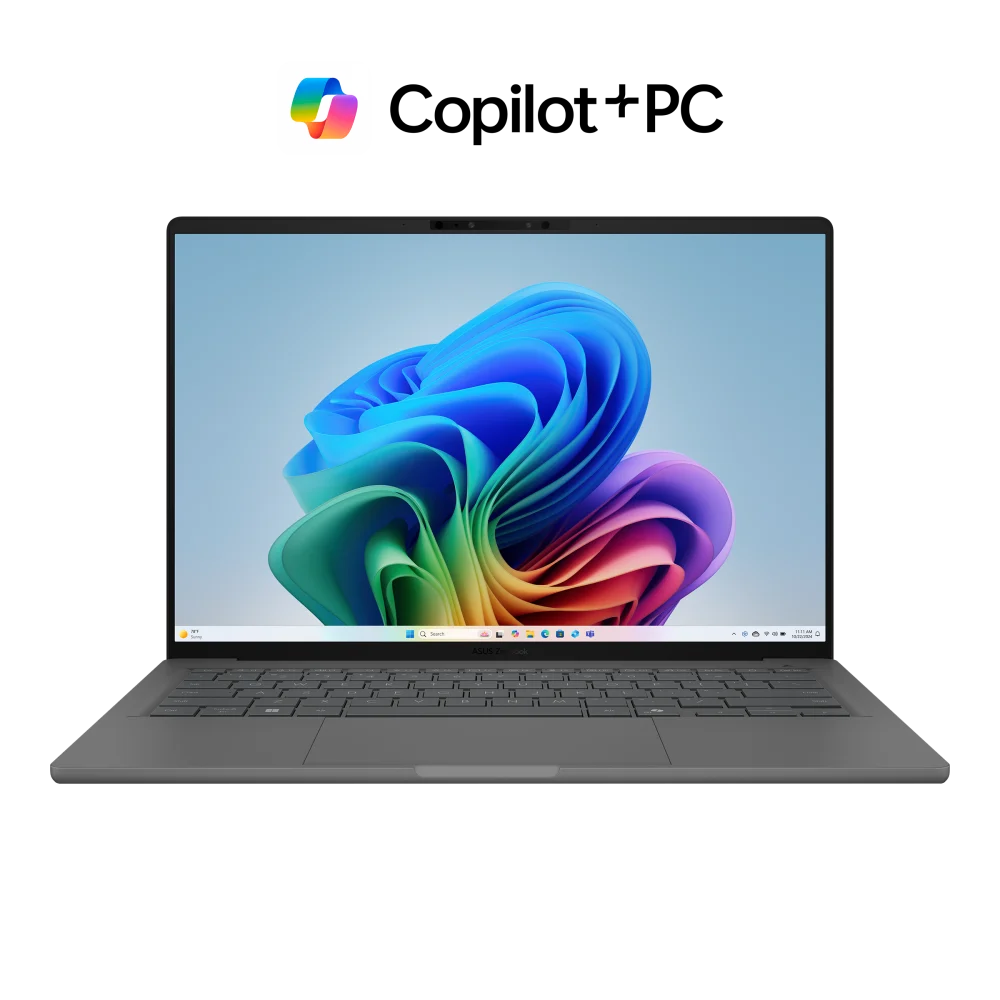
The Zenbook A14 UX3407QA is the first-generation Snapdragon X configuration of ASUS's lightweight 14-inch laptop. The suffix matters: the broader UX3407 family includes other processors and later versions, so a family-name listing can conceal a materially different machine. This review focuses on the UX3407QA with the 1920-by-1200 OLED display. It is most interesting for people who carry a laptop every day and mainly use compatible productivity applications. It is less obvious for specialist Windows workflows where legacy peripherals, drivers or demanding games are essential.
Weight is the central attraction
ASUS places the A14 around the one-kilogram class, with exact weight depending on configuration, and uses its Ceraluminum enclosure material throughout the design. The practical benefit is a computer that adds less burden to a bag than many conventional 14-inch laptops. That matters on a commute or when moving repeatedly between workspaces. It is not a reason to ignore keyboard, screen and port preferences, however. A small reduction in carrying weight is valuable only if the computer remains comfortable and suitable during the hours spent using it.
Screen and connections
The QA configuration pairs a 14-inch, 16:10 OLED panel with a 60Hz refresh rate. The taller shape is useful for documents, while OLED gives the display a different contrast character from ordinary LCD laptops. Buyers looking for high-refresh scrolling should notice the 60Hz limit. The port selection is comparatively practical for a thin machine: two USB4 Type-C connections, USB-A, HDMI and a combined audio jack. That reduces reliance on adapters for common accessories, although a particular monitor arrangement still needs to be checked against the exact configuration.
Software first, battery claims second
The Snapdragon X processor means this is a Windows-on-Arm computer. Many common applications have native versions or can run through emulation, but that is not the same as universal compatibility. Verify essential software, plug-ins, printer drivers and other specialist equipment before purchase. The listed 70Wh battery is a substantial design choice for a light laptop, yet workload, display settings and software behavior determine real runtime. A manufacturer endurance headline is less useful than knowing that your daily applications run properly and efficiently on this platform.
Verdict
Choose the UX3407QA if low carrying weight, a compact OLED screen and a useful set of ports align with a verified software workload. It is a coherent option for writing, meetings, browsing and compatible office applications. Choose an Intel or AMD alternative when uncertain driver support or specialist software would introduce friction, and compare a higher-refresh laptop if smooth display motion is a priority. Most importantly, buy by the full model code and memory/storage configuration. The A14 name spans enough variants that a good deal on one version cannot be assumed to describe another.
Sources
What works well
- Approximately one-kilogram design
- 14-inch 16:10 OLED display
- USB4, USB-A and HDMI connections
What to consider
- Windows-on-Arm compatibility must fit the workload
- QA OLED configuration is 60Hz
- UX3407 family name covers different generations
At a glance
- Model
- UX3407QA
- Processor family
- Snapdragon X, first generation
- Display
- 14 in OLED; 1920 × 1200; 60Hz
- Battery
- 70Wh
- Ports
- 2 USB4 Type-C; USB-A; HDMI; audio
- Weight
- Approximately 1kg; configuration-dependent