Office & Productivity / Review
Brother PT-D610BT Review: A label maker that bridges quick typing and designed templates
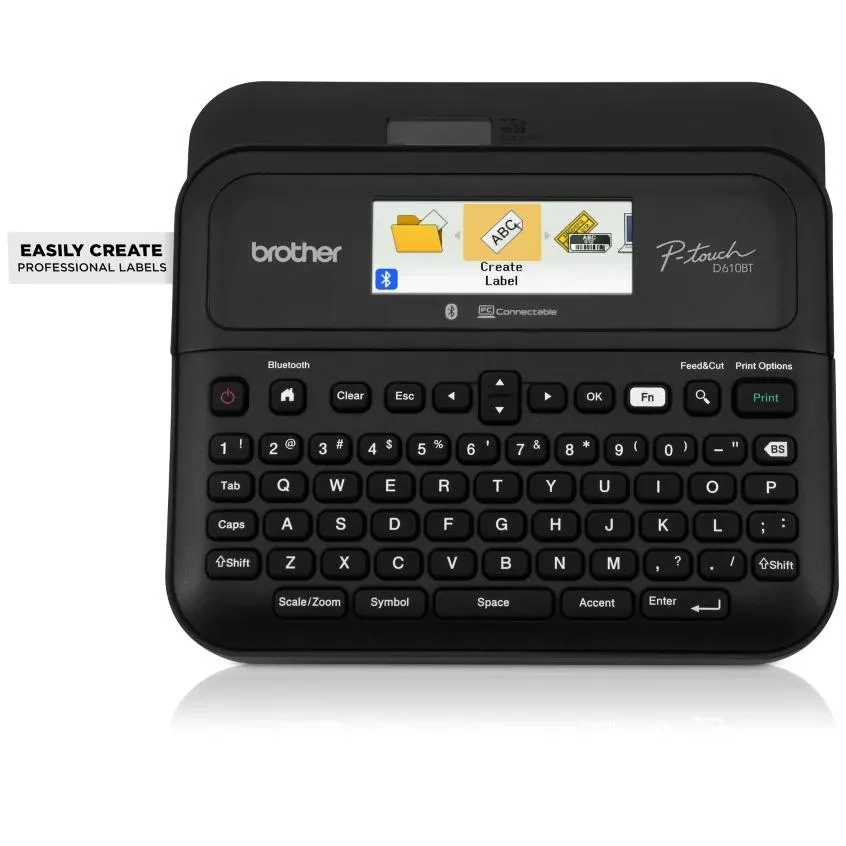
The Brother PT-D610BT is useful for an office that needs more than occasional handwritten stickers but does not want every label to begin at a computer. Its built-in keyboard and color preview support quick standalone…
Review basis: This is a research-based editorial review of manufacturer documentation and published product specifications, not a hands-on test. Ratings reflect documented features and buying tradeoffs; performance claims are attributed to their sources.
The Brother PT-D610BT is useful for an office that needs more than occasional handwritten stickers but does not want every label to begin at a computer. Its built-in keyboard and color preview support quick standalone work, while USB and Bluetooth connections allow more elaborate labels from supported software. That combination makes it a flexible tool for storage, cables, equipment and repeated identification tasks.
The printer uses Brother TZe tapes up to 24 millimeters wide. This is a label-tape system, not a substitute for a large shipping-label printer or a general document printer. The narrow format is well suited to drawers, shelves and small equipment. It is less suitable when a large address block or wide graphic is the primary requirement.
Two ways to create the same useful result
For a single drawer or folder, the physical keyboard avoids opening an application. The display lets the user review the layout before committing tape. That matters because small mistakes create material waste as well as wasted time. A consistent naming scheme is still the most important organizational decision; the printer cannot make ambiguous labels meaningful.
Connected software provides more control over barcodes, graphics and repeated layouts. A small business can maintain a template and change only the identifying information. This is more efficient than redesigning every label manually, particularly when several people need to produce matching results. Verify application support and permissions on the intended computer or phone before depending on that workflow.
The automatic cutter reduces one repetitive step during batch work. Tape margins, label length and the chosen print sequence still influence how much material is consumed. For a large project, produce a few samples and confirm readability and fit before printing the entire set. That is especially valuable for barcodes that need to be scanned reliably at the intended size.
Tape choice is part of the purchase
Brother offers different tape types for different surfaces and applications. Standard laminated tape, flexible identification tape and stronger adhesive variants should not be treated as interchangeable. A label on a clean flat drawer and a label wrapped around a cable face different mechanical conditions. Choose the tape for the job and follow its application guidance.
The included adapter supports regular desktop use, while six AA batteries provide another power option. The unit is more naturally a desktop tool than a pocket labeler. Plan a place for the printer and spare cartridges so that creating a label is easy enough to become part of the office routine.
Our verdict favors the PT-D610BT for repeatable organization across a home office or small workplace. Its standalone controls and connected design options are a useful combination. Buy it when tape labels will be used regularly, and include the ongoing cartridge cost in the decision rather than evaluating only the printer's purchase price.
Sources and specifications
What works well
- Standalone and connected label creation
- Automatic cutter
- Broad application-specific tape choices
What to consider
- Tape is an ongoing expense
- Not a large shipping-label printer
- Adhesive choice matters for each surface
At a glance
- Tape
- TZe, up to 24mm
- Interface
- QWERTY keyboard and color display
- Connectivity
- USB and Bluetooth
- Power
- Included adapter or six AA batteries