Office & Productivity / Review
Keychron K3 Max Review: Low-profile mechanical typing without a number pad
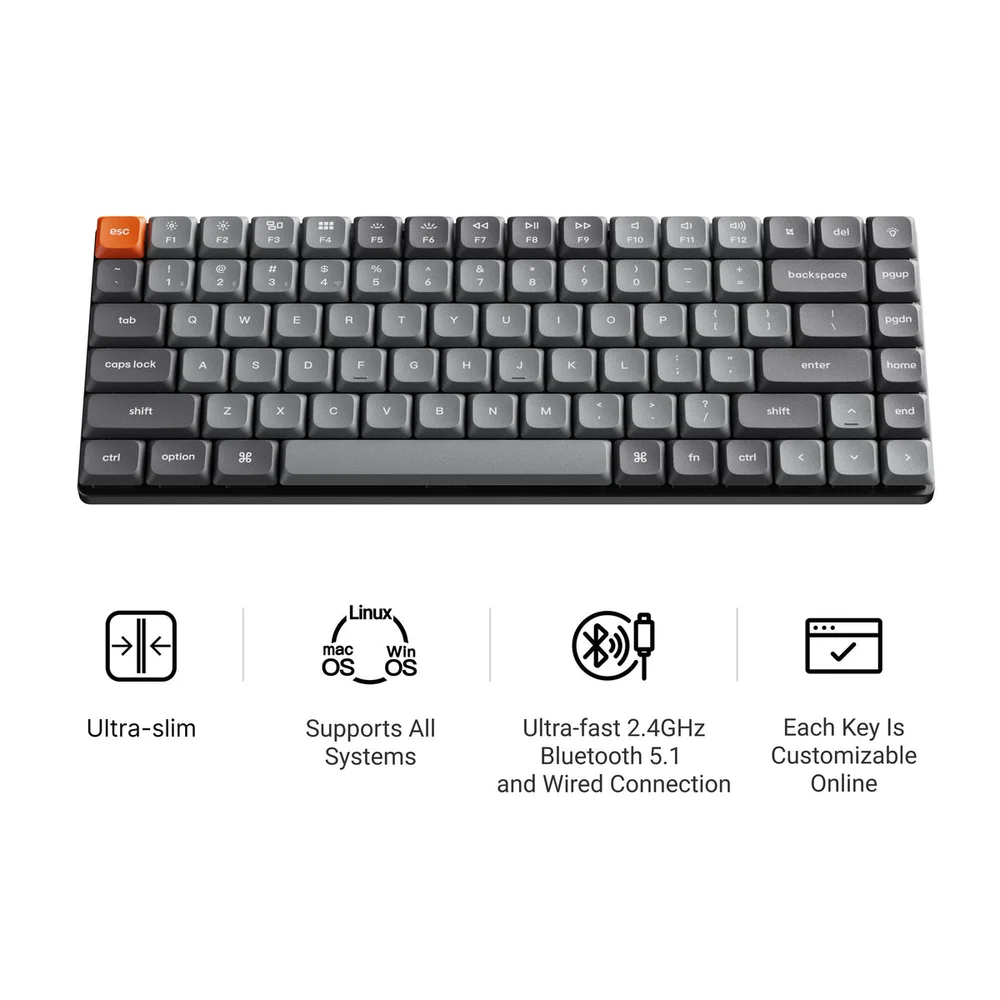
The Keychron K3 Max is a good fit for an office user who wants a compact mechanical keyboard without removing the function row or arrow keys. Its 75-percent layout keeps 84 keys in a narrower…
Review basis: This is a research-based editorial review of manufacturer documentation and published product specifications, not a hands-on test. Ratings reflect documented features and buying tradeoffs; performance claims are attributed to their sources.
The Keychron K3 Max is a good fit for an office user who wants a compact mechanical keyboard without removing the function row or arrow keys. Its 75-percent layout keeps 84 keys in a narrower footprint than a full-size board. The low-profile construction also appeals to people moving from a laptop keyboard who do not want a tall conventional mechanical design.
The Max designation matters. Keychron sells several similarly named K3 generations and special editions, and their connectivity and components differ. The model reviewed here supports 2.4GHz wireless, Bluetooth and a wired connection. That combination allows it to serve a permanent desk while still connecting to other compatible devices through Bluetooth.
Compactness changes the workspace
Removing the number pad makes more room for the mouse or another input device. For writing, coding and general office work, that can be more useful than rarely used extra keys. For accounting or repeated numerical entry, however, the missing pad can become a daily inconvenience. A separate number pad is possible, but it adds another object and changes the value calculation.
The closely arranged navigation area also requires a little adaptation. A user who locates keys by the empty gaps on a full-size keyboard should compare the actual layout before purchasing. Retaining arrows and a function row is helpful, but compact does not mean identical spacing or an unchanged muscle-memory experience.
QMK-based customization supports remapping and more specialized workflows. This can be useful for a frequently repeated command or an application-specific layer. Start with a few high-value changes and keep a record of them. A heavily customized layout can become confusing when moving between computers or sharing the keyboard with another person.
Choose the exact switch and version
The K3 Max is offered with different switches and backlight configurations. Hot-swappable capability is associated with particular variants, so verify that feature in the exact listing. Low-profile mechanical switches are not universally interchangeable with ordinary full-height switches or every other low-profile system. Replacement plans should be grounded in the supported parts rather than a general claim of customization.
Switch feel and sound are also relevant in an office. A click-oriented option can be distracting in a shared room, while a quieter switch still produces noise from typing and key return. The board's mechanical construction does not automatically make it suitable for every workplace. Try the chosen switch type or buy with a realistic return option.
Our verdict favors the K3 Max for compact desks and users who want mechanical customization alongside flexible connectivity. It is a stronger choice when the missing number pad is an advantage. Buy the exact configuration that matches your preferences, and avoid paying for customization features you will never use.
Sources and specifications
What works well
- Compact layout retains function row and arrows
- Three connection methods
- Programmable layout
What to consider
- No number pad
- Hot-swap availability depends on variant
- Low-profile parts need compatibility checks
At a glance
- Layout
- 75%, 84 keys
- Connections
- 2.4GHz, Bluetooth and wired USB
- Keys
- Low-profile mechanical; switch options vary
- Customization
- QMK-supported