Office & Productivity / Review
ScanSnap iX1600 Review: A Document Workflow Matters More Than the Scan Speed
The ScanSnap iX1600 is a desktop document scanner for someone facing regular stacks of paper. Its value comes from a repeatable capture-and-filing routine rather than from scanning an occasional single page.
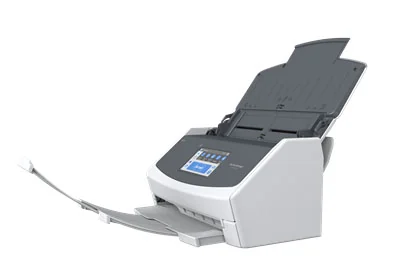
The ScanSnap iX1600 is a desktop document scanner for someone facing regular stacks of paper. Its value comes from a repeatable capture-and-filing routine rather than from scanning an occasional single page.
The documented capability
Ricoh lists two-sided scanning at up to 40 pages per minute, a 50-sheet feeder, a touchscreen and USB or Wi-Fi connectivity. Its current page also points buyers to the newer iX2500, making the iX1600 particularly relevant when comparing remaining or refurbished stock.
The comparison table states that the iX1600 does not offer a TWAIN driver. That matters if an existing document application requires one. Confirm compatibility with the intended software rather than assuming any desktop scanner can be controlled by every program.
Build the workflow first
Choose where files will go, how they will be named and how they will be backed up. Fast scanning is less valuable if the resulting documents disappear into an unsorted folder. Create a small repeatable profile for each common task instead of building an elaborate system before the first useful scan.
Budget time for checking the output. A document archive needs legible pages in the right order, not merely a large page count. Keep originals until you have confirmed the files and any retention requirements relevant to your circumstances.
Verdict
The iX1600 remains a logical candidate for a paper-heavy home office when its software approach fits and the current purchase terms make sense beside newer models. It is less attractive for occasional scanning or a workflow that specifically requires TWAIN. Compare support, consumables and the complete filing process along with speed. The best scanner is the one that produces documents you can reliably find and use later.
Sources and product information
What works well
- Duplex scanning
- 50-sheet document feeder
- Touchscreen profiles and USB/Wi-Fi
What to consider
- No TWAIN driver
- Newer iX2500 merits comparison
At a glance
- Rated speed
- Up to 40 ppm / 80 ipm
- Feeder
- 50 sheets
- Optical resolution
- 600 dpi
- TWAIN
- No