Office & Productivity / Review
Logitech MX Master 3S Review: A Productivity Mouse Worth Buying for the Controls
The MX Master 3S is most convincing when its scrolling and configurable controls solve repeated desk tasks. The headline sensor resolution is less important than whether the shape and software fit the way you work.
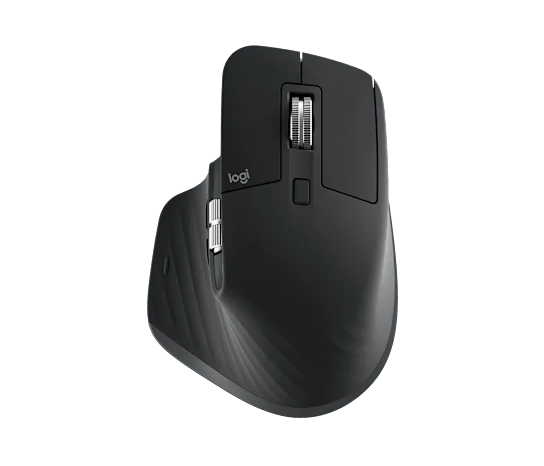
The MX Master 3S is most convincing when its scrolling and configurable controls solve repeated desk tasks. The headline sensor resolution is less important than whether the shape and software fit the way you work.
The useful features
Logitech specifies an 8,000 DPI sensor, Quiet Clicks and MagSpeed scrolling. Its customization software, Logi Options+, is offered for Windows and macOS. Check the exact edition and package: current Bluetooth-edition listings should not be assumed to include the same receiver or accessories as other bundles.
A sensitivity figure is not a productivity score. Choose a setting that lets you move accurately across the monitors you use. Higher is not automatically better, particularly when the work involves small controls or precise selections.
Customization needs a purpose
Write down the actions you repeat most often: changing tabs, navigating long documents or moving across wide spreadsheets. If a programmable control can replace a frequent awkward action, the mouse has a clear reason to cost more than a basic model.
On an employer-managed computer, confirm that the software can be installed and used. Features that depend on unavailable software should not be included in your personal value calculation. Also try the physical shape over a realistic period rather than assuming a contoured design fits every hand.
Verdict
The MX Master 3S is a strong candidate for a desk worker who will use its scrolling and customization and who finds the shape comfortable. It is less persuasive as a premium purchase solely for a larger DPI number. Confirm the selected edition, receiver requirements and software access before ordering. The best justification is a small collection of useful daily shortcuts that you will actually keep using.
Sources and product information
What works well
- Configurable productivity controls
- MagSpeed scrolling
- Quiet-click design
What to consider
- Software access affects advanced features
- Edition and receiver contents require checking
At a glance
- Sensor maximum
- 8,000 DPI
- Software
- Logi Options+ for Windows/macOS
- Selection note
- Check Bluetooth edition and bundle contents