Office & Productivity / Review
Microsoft Surface Keyboard (2nd Edition) Review: A full-size Bluetooth keyboard for a Windows desk
Microsoft's Surface Keyboard in its second edition is a straightforward choice for someone who wants a full-size desktop layout without a cable across the desk. The built-in number pad is its most practical advantage for…
Review basis: This is a research-based editorial review of manufacturer documentation and published product specifications, not a hands-on test. Ratings reflect documented features and buying tradeoffs; performance claims are attributed to their sources.
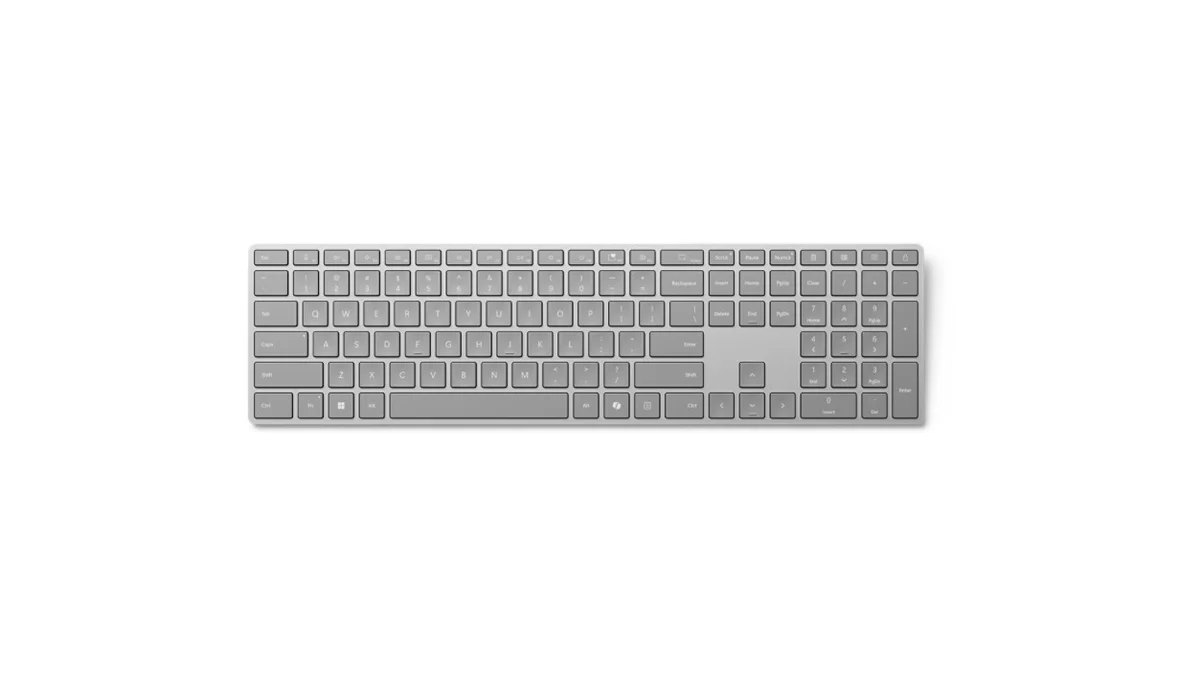
Microsoft's Surface Keyboard in its second edition is a straightforward choice for someone who wants a full-size desktop layout without a cable across the desk. The built-in number pad is its most practical advantage for frequent numerical entry. The dedicated Windows shortcut keys add convenience, but they are a secondary reason to buy compared with the layout and typing preference.
This is a separate desktop keyboard, not a Surface Pro keyboard cover. It connects through Bluetooth Low Energy and uses two AAA batteries. Microsoft lists a width of 420.9 millimeters, so buyers should measure the complete desk arrangement rather than considering the keyboard alone. A full-size layout can push a right-hand mouse farther from the center of the body.
Familiar layout, specific software benefits
The number pad is useful for spreadsheets, invoices and repeated entry of numerical data. It provides a familiar arrangement without adding a separate accessory. Someone who rarely uses it, however, may find a compact keyboard more comfortable because the mouse can sit closer. More keys are useful only when their function outweighs the space they occupy.
The second edition includes a Copilot key as well as shortcuts for functions such as screen capture and call muting. Availability depends on the operating system, application and supported Windows features. The key is a shortcut to software, not additional computing hardware, and it does not make every connected device support the same AI functions.
Microsoft's product information lists compatibility beyond Windows for basic keyboard use, while some special functions specifically require Windows 11. That distinction matters for a mixed-platform household. A keyboard can type successfully on another system without every label or hotkey behaving as it does on the intended Windows setup.
Bluetooth and batteries shape ownership
The absence of a permanent cable creates a cleaner physical setup, but the computer still needs a compatible Bluetooth connection. Pairing should be completed before the keyboard becomes essential for a presentation or a workday. Users who rely on pre-boot interfaces or unusual managed environments should confirm that their particular workflow supports the connection method.
Replaceable AAA batteries avoid making the entire keyboard's useful life depend on a built-in rechargeable cell. They also mean keeping spares available and disposing of used batteries appropriately. Microsoft's up-to-12-month claim is a manufacturer estimate that varies with use, not a guaranteed maintenance interval for every desk.
The Surface Keyboard earns a favorable verdict for a Windows-focused workstation where a number pad is used regularly and a restrained desktop design is preferred. It is less compelling for frequent device switching, extensive mechanical-key customization or extremely compact desks. Choose it for its familiar full-size working layout, with the special shortcut keys treated as a useful addition rather than the whole purchase rationale.
Sources and specifications
What works well
- Built-in number pad
- Dedicated Windows shortcut keys
- Replaceable AAA batteries
What to consider
- Wide layout increases mouse reach
- Some hotkeys require Windows 11
- Bluetooth compatibility must be checked
At a glance
- Layout
- Full size with number pad
- Wireless
- Bluetooth Low Energy 4.0 or later
- Power
- Two AAA batteries
- Width
- 420.9mm