Office & Productivity / Review
Logitech Lift Review: A vertical mouse whose size matters as much as its angle
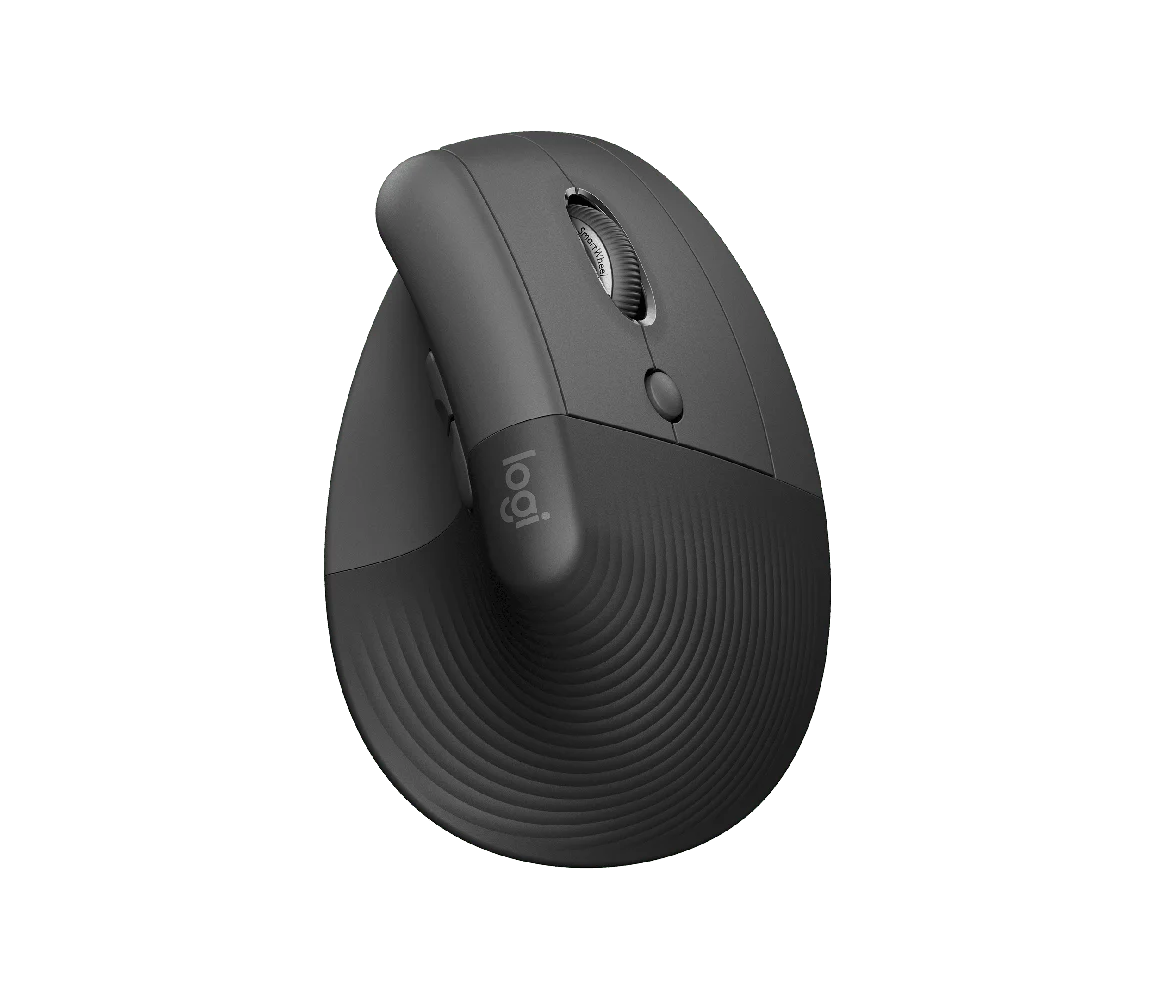
Logitech Lift is most relevant to someone who wants to try a more upright mouse grip and has a small or medium-size hand. Its 57-degree angle changes how the hand rests compared with a conventional…
Review basis: This is a research-based editorial review of manufacturer documentation and published product specifications, not a hands-on test. Ratings reflect documented features and buying tradeoffs; performance claims are attributed to their sources.
Logitech Lift is most relevant to someone who wants to try a more upright mouse grip and has a small or medium-size hand. Its 57-degree angle changes how the hand rests compared with a conventional flat mouse. The smaller shape is an equally important part of the proposition: a vertical design that is too large can be awkward even if its angle sounds attractive.
Logitech offers distinct right-handed and left-handed versions. Choose the appropriate model rather than expecting the shape to be ambidextrous. The thumb rest and sculpted grip are directional, and they affect how the fingers reach the main buttons and scrolling control. A quick fit check should include reaching every commonly used control without squeezing or stretching.
A change in habit, not just a new shape
Moving from a flat mouse requires some adaptation. The hand approaches the device from a different direction, and lifting or repositioning it can initially feel unfamiliar. That is a reason to allow a realistic trial period, especially for work involving precise selections or frequent dragging. A good return policy is more useful here than assuming that one published angle fits everyone.
The mouse's productivity controls can support ordinary browsing, documents and application navigation. Customization may reduce repetitive movements when it maps a frequently used action to an accessible button. However, software support and permitted installation matter on a managed work computer. Check which functions work without additional software before choosing it primarily for programmable behavior.
A different grip can be comfortable for some users, but the product should not be treated as a cure for pain or an underlying condition. Desk height, keyboard position, arm support, working habits and personal fit all influence the experience. If the mouse requires an awkward reach because the keyboard occupies too much width, its shape alone cannot solve that arrangement.
Evaluate it in the real workspace
Try Lift on the surface and at the pointer settings used for daily work. A sensitivity setting that is too low can require unnecessary arm travel, while one that is too high can make detailed selections difficult. The aim is a usable combination of movement, control and relaxed grip rather than the highest available sensitivity number.
The compact vertical body is less naturally pocketable than a flat travel mouse. That is a reasonable tradeoff for a device that lives at a desk, but a frequent traveler should consider how it fits a bag. Keep the intended connection method and battery routine in the comparison alongside the physical shape.
Our verdict favors Lift for small-to-medium hands and buyers willing to assess a new grip carefully. Its value comes from fit and a well-defined everyday purpose. Pass if the buttons are difficult to reach or the upright shape disrupts your work more than it helps; a different size or input method may be a better match.
Sources and specifications
What works well
- Smaller vertical shape
- Separate left-handed option
- Thumb rest and everyday productivity controls
What to consider
- Fit is individual
- Requires a change in pointing habits
- Not a treatment for an underlying condition
At a glance
- Shape
- 57-degree vertical orientation
- Fit
- Small to medium hands
- Variants
- Right-handed and left-handed versions