Smart Home & Security / Review
Schlage Encode Plus Review: Convenient Entry for an Apple Home Routine
Apple home keys and app access are useful additions when the lock fits both the door and the household.
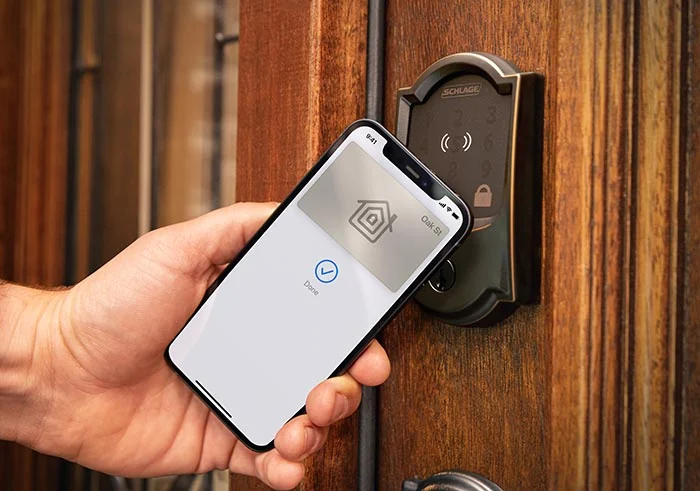
The convenience proposition
The Encode Plus is especially interesting to a household already using compatible Apple devices. Schlage’s home-key support allows a supported iPhone or Apple Watch to serve as an entry method, while the lock also belongs to Schlage’s app-based access system. The appeal is reducing the friction of everyday entry and managing access. Those features should be judged separately from any claim about comparative resistance to forced entry.
Start with the door
Confirm the door preparation, thickness, backset and other installation requirements against the exact model. Also make sure the existing door closes and latches properly. A motorized lock is not a fix for a misaligned door or a bolt that binds. Correct mechanical operation should be established before the convenience features are evaluated.
Choose the access arrangement
Schlage documents Apple Home integration and use with the Schlage Home app. Check the current requirements for remote access and the specific features you intend to use. Decide how family members and guests will enter, who can create or revoke access and what the backup method will be. Keep account recovery and device replacement in that plan.
Maintenance is part of ownership
A connected lock introduces batteries, software and access settings to a product that also has a mechanical job. Follow the manufacturer’s battery guidance and keep an appropriate fallback available. Review guest access when it is no longer needed. The useful smart-home experience is one the household can manage consistently, not simply one with many integrations.
Verdict
The Encode Plus is a compelling convenience upgrade for a compatible door and an Apple-centered household that will use home keys. Buyers outside that routine should compare whether a simpler keypad or another supported smart-lock system better matches their needs. Choose it for documented access features and fit, with a clear plan for everyday maintenance and backup entry.
Editorial score rationale
The rating is strongest for an Apple-centered routine with a compatible door. Maintenance and backup access reduce the simplicity score, reflecting the responsibilities that accompany connected entry rather than a traditional key-only arrangement.
Sources
What works well
- Apple home-key support
- App-based access management
- Documented smart-home integrations
What to consider
- Door alignment and preparation must be suitable
- Battery and account management add responsibilities
At a glance
- Type
- Smart WiFi deadbolt
- Notable feature
- Apple home keys
- Management
- Schlage Home and supported Apple Home features