Electronics & Audio / Review
Roku Ultra 2024 Review: A TV Upgrade Without Replacing the Screen
The streaming box is most useful when an existing television’s apps or remote are the weak point.
Why add a separate player
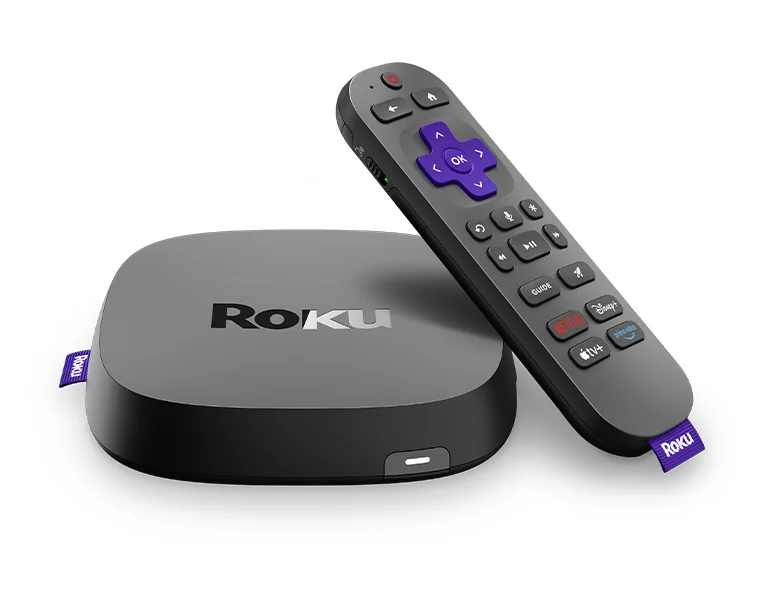
A television can remain perfectly useful as a display even when its built-in streaming experience no longer suits the household. The 2024 Roku Ultra offers a separate player and remote, allowing those functions to change without replacing the screen. That makes it worth considering for an older TV or for a household that wants a consistent interface across different televisions.
Choose the exact generation
Roku has used the Ultra name across several generations. The 2024 model introduced Wi-Fi 6 and came with the second-generation Voice Remote Pro, according to Roku’s announcement. Check the box and model information rather than assuming every listing called Ultra has the same hardware or remote. This is especially important when comparing discounted or refurbished stock.
The display chain still matters
Supported high-resolution and HDR formats require compatible content and television equipment. A streaming player does not turn a basic screen into a different display technology. Also confirm the services you subscribe to, their regional availability and any plan requirements for particular playback formats. The ongoing subscription cost can exceed the player price over time.
Everyday usability
A separate box introduces another power connection and an HDMI input requirement, so plan the placement and cables. The remote is a substantial part of the experience: consider which TV functions it can control and whether everyone in the household understands the new arrangement. A simpler control path can be more valuable than a performance claim that does not change how you watch.
Verdict
The 2024 Ultra is a sensible candidate when the goal is to improve the streaming side of an otherwise satisfactory television. It is less necessary when the TV already runs every service smoothly and its controls work well for the household. Compare the exact generation, included remote and supported services, then judge the full experience rather than buying a box solely because it occupies a premium tier.
Editorial score rationale
The 2024 Ultra scores well as a targeted interface and streaming upgrade for an otherwise satisfactory TV. The rating is moderated by generational naming and the separate requirements for subscriptions and advanced formats.
Sources
What works well
- Separates streaming upgrades from the television
- Wi-Fi 6 in the 2024 model
- Voice Remote Pro second generation included at launch
What to consider
- Ultra generations differ
- Subscriptions and compatible display equipment remain separate requirements
At a glance
- Generation
- 2024
- Networking feature
- Wi-Fi 6
- Connection to TV
- HDMI
- Included remote
- Voice Remote Pro, second generation at launch